Bulk Download lets you export several completed W-9s as a single ZIP file. It is available on the GIGA plan. On other plans, the Bulk actions menu shows an upgrade prompt instead.
→ Upgrade to GIGA to start using this feature.
TABLE OF CONTENTS
Overview
- What it does: On the W-9s Received page, select multiple completed W-9s and download them together as one ZIP file, instead of saving each PDF one at a time.
- Where to find it: Vendor W-9s → Vendor W-9s Received.
- Selection works across pages and respects your active filters and search.
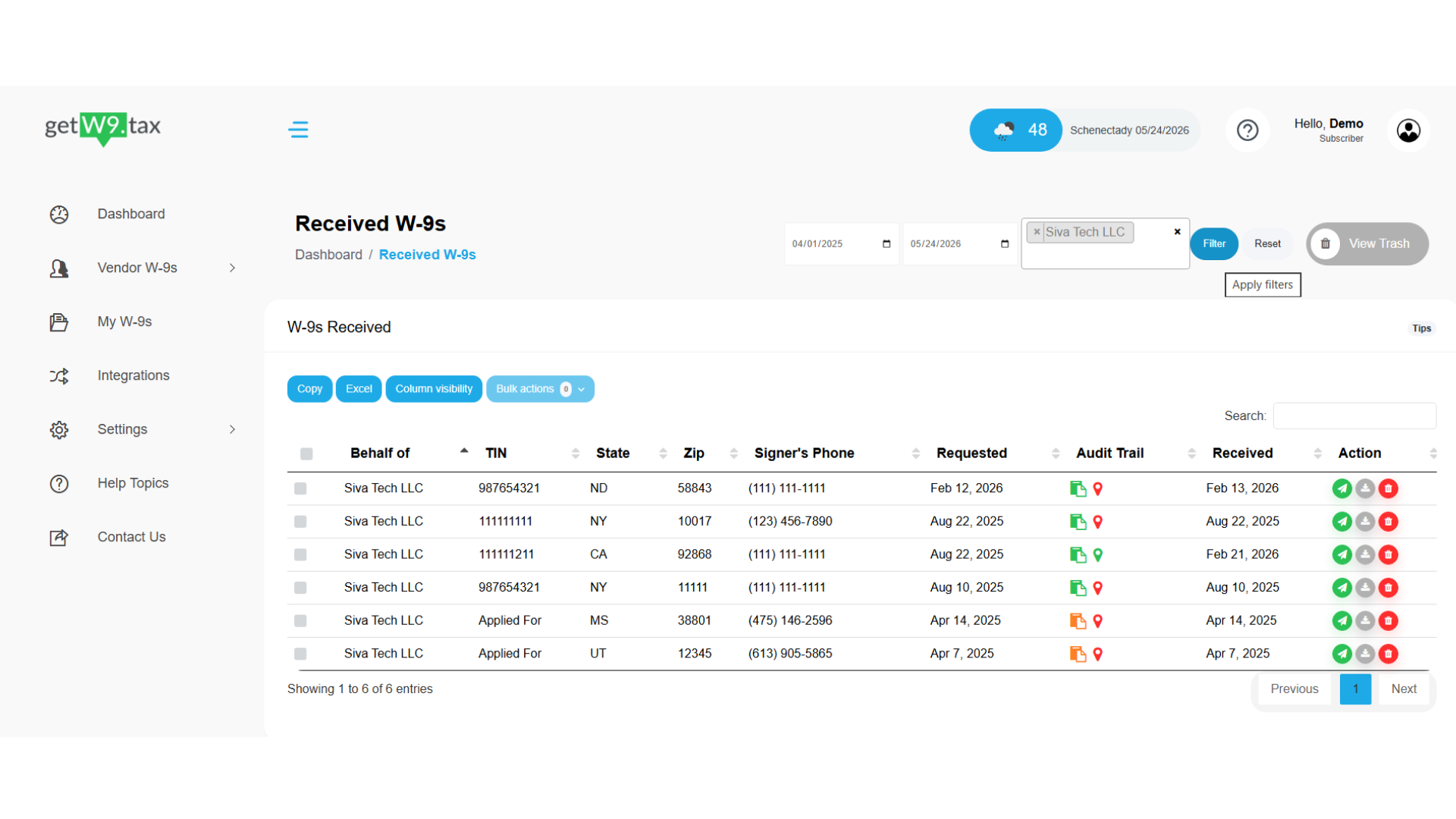
- A new Companies filter now sits alongside the date-range filter.
- The download link is sent to your registered email and stays valid for 24 hours.
- Limits: up to 500 W-9s per request, and one bulk download request every 4 hours.
How it works
Step 1 — Open the W-9s Received page
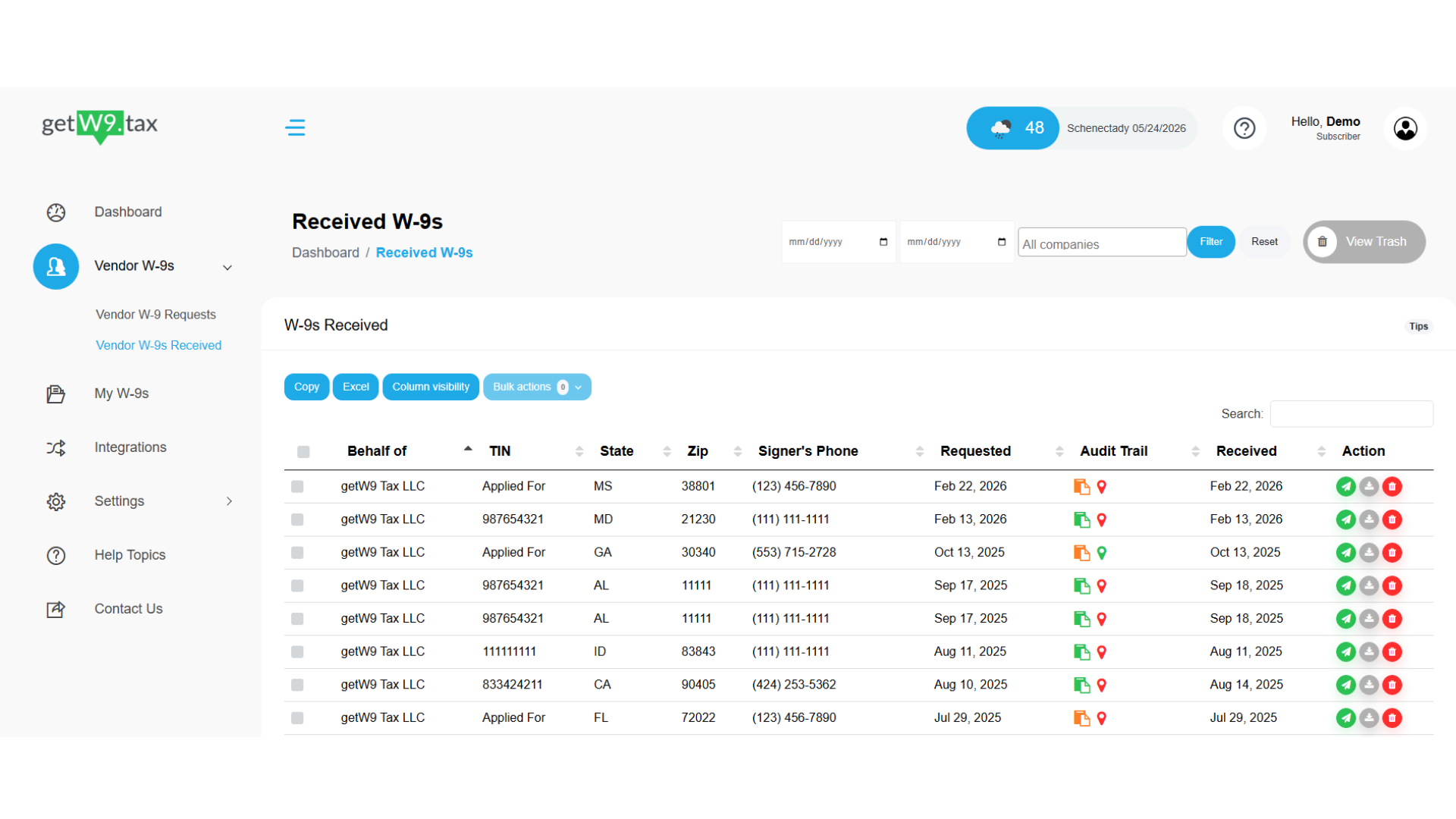
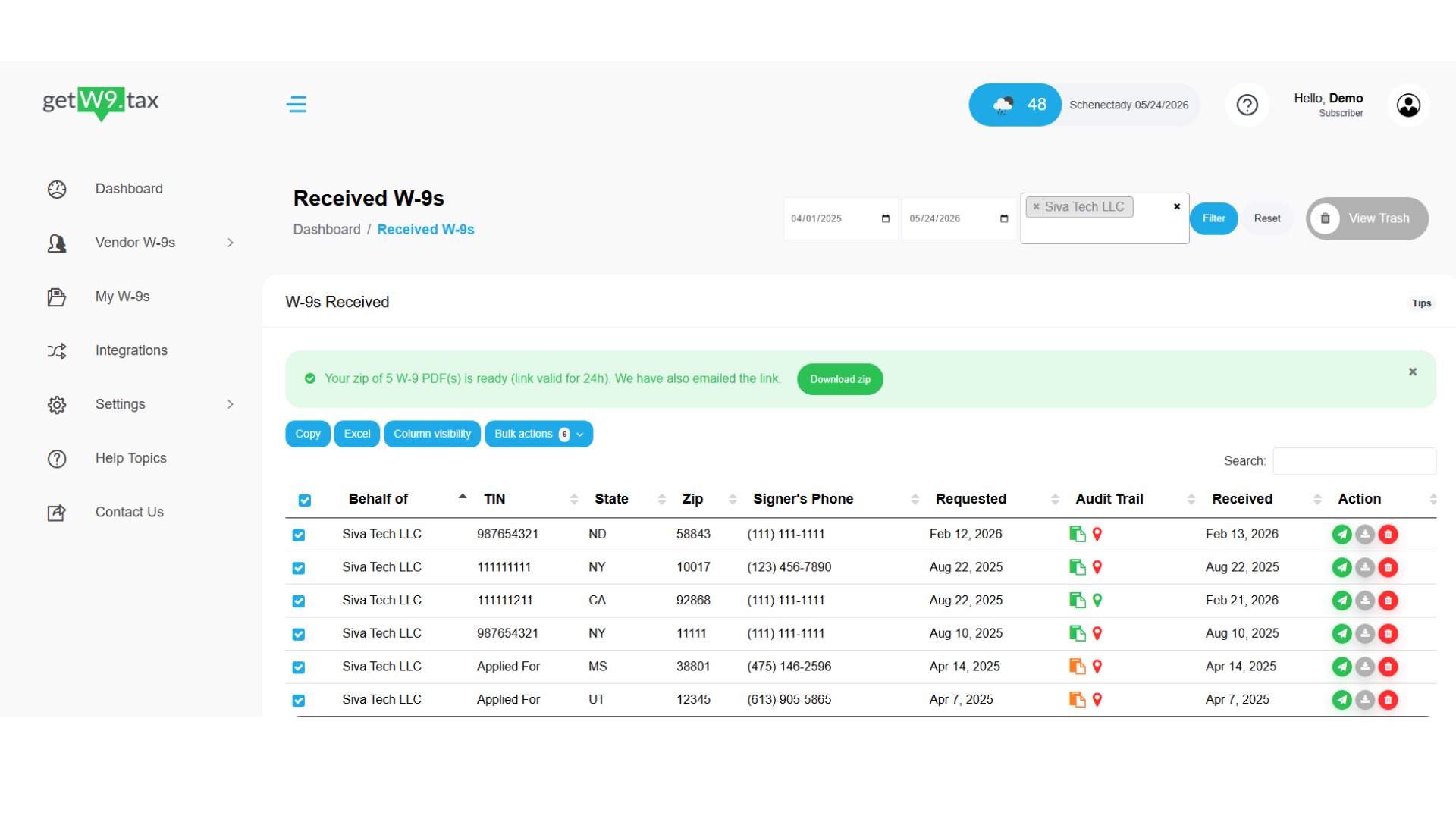
Go to Vendor W-9s → Vendor W-9s Received. By default, the table shows W-9s for all companies across all dates.
Step 2 — Filter to the W-9s you need (optional)
Use the date-range fields and the new Companies filter to narrow the list. You can filter by date range, by company, or by one of each. Click Filter to apply your selection. Use Reset to clear all filters and return to the full list.
Step 3 — Select the W-9s to download
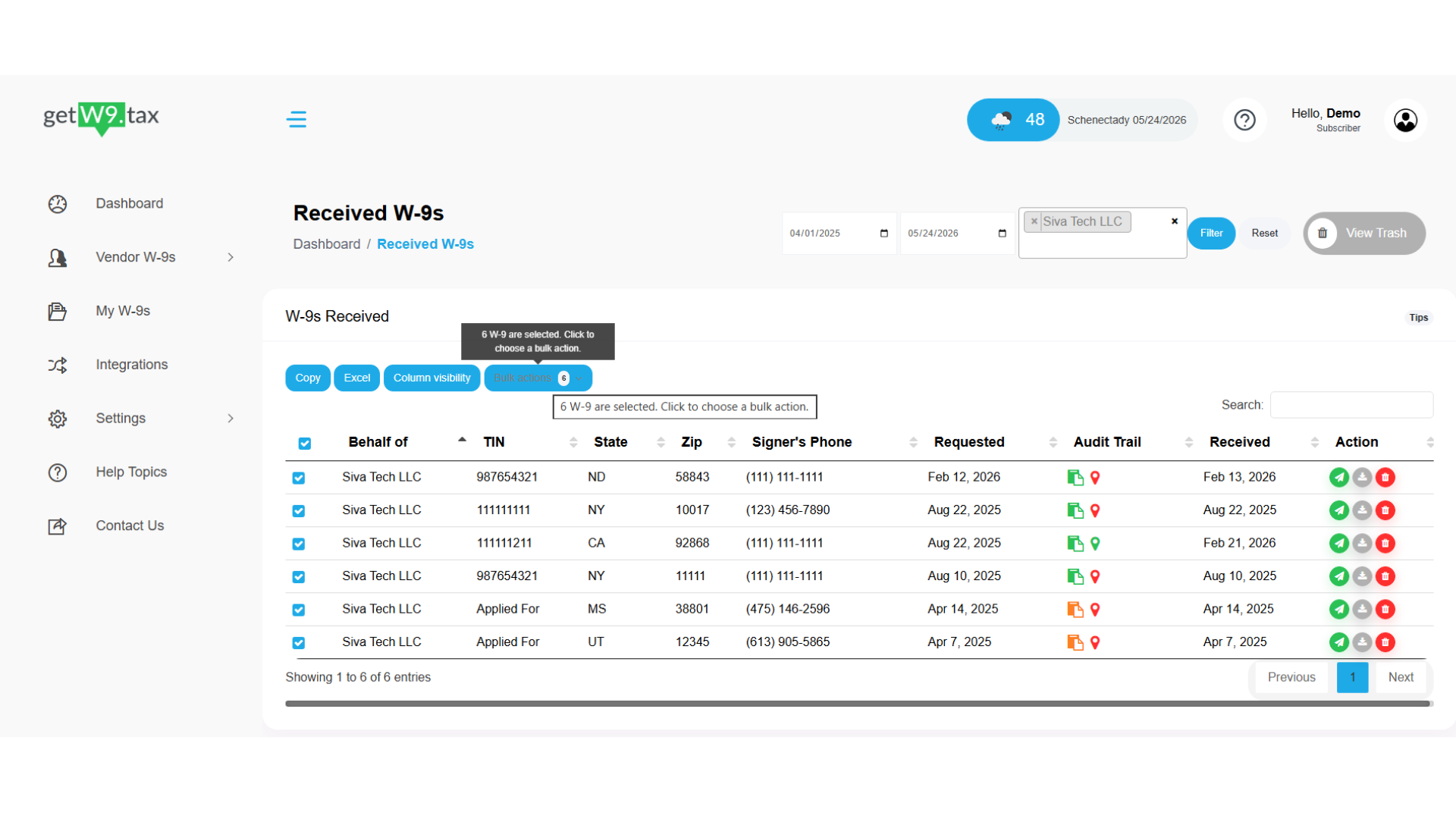
Tick the checkbox on each row you want, or use the checkbox in the table header to select every W-9 that matches your current filters and search. As soon as one or more rows are selected, the Bulk actions button becomes active and shows the number of W-9s selected.
Step 4 — Choose "Download selected as ZIP"
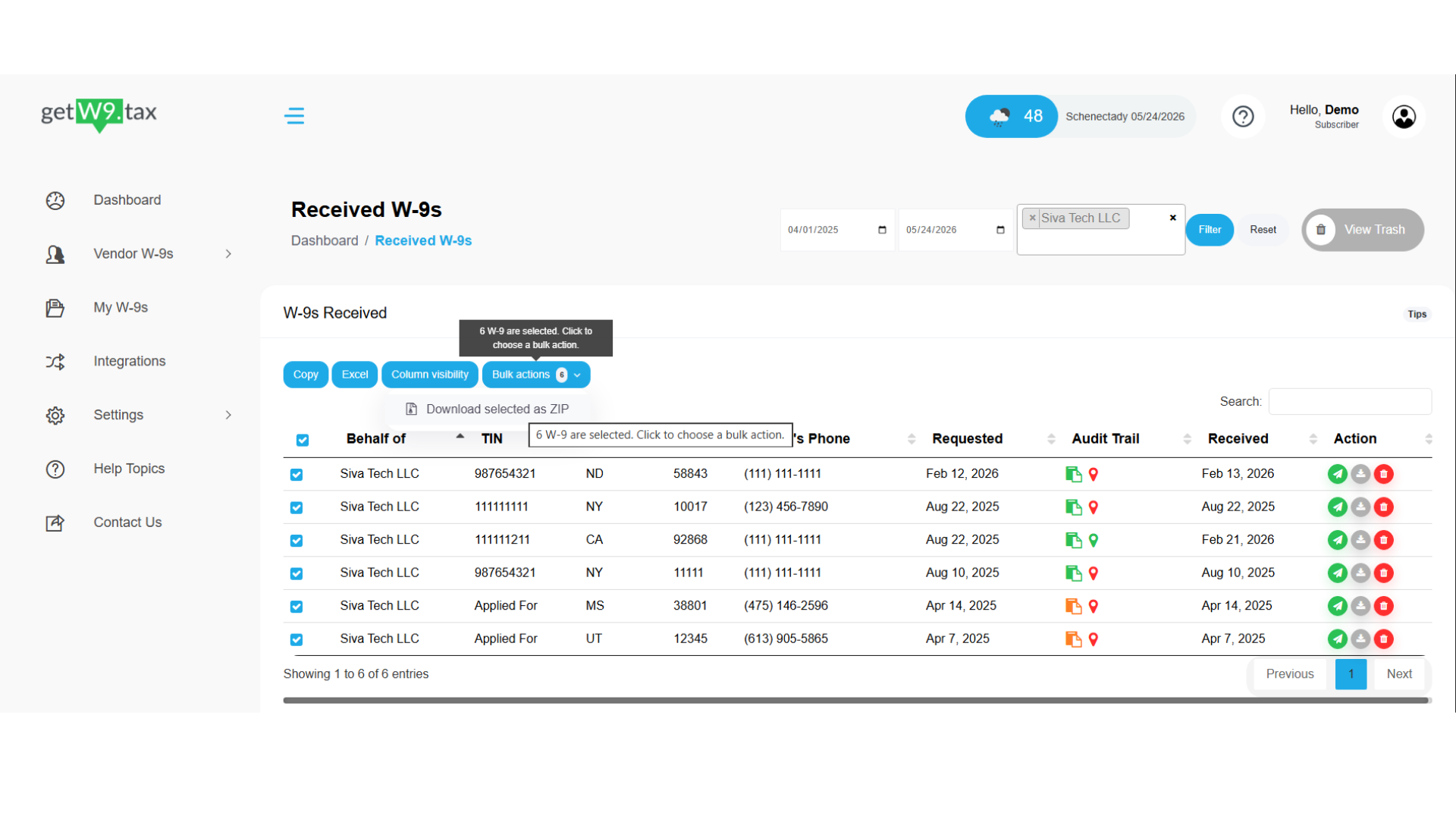
Click Bulk actions, then choose Download selected as ZIP. getW9 begins packaging the selected W-9 PDFs into a single ZIP file.
Step 5 — Download your ZIP
When the file is ready, a confirmation banner appears at the top of the page: "Your zip of [n] W-9 PDF(s) is ready (link valid for 24h). We have also emailed the link." Click Download zip to save the file right away. A copy of the secure link is also sent to your registered email address, so you can download it later from any device — for up to 24 hours.
Limits and good to know
| Item | Detail |
|---|---|
| Plan | GIGA only. Other plans see an upgrade prompt in the Bulk actions menu. |
| Maximum per request | Up to 500 W-9s. |
| Frequency | One bulk download request every 4 hours. |
| Email link validity | 24 hours from the time the ZIP is generated. |
| Selection scope | Works across pages; respects your active filters and search. |
On the Micro or Mega plan and need bulk download? Upgrade to GIGA to turn it on.
Was this article helpful?
That’s Great!
Thank you for your feedback
Sorry! We couldn't be helpful
Thank you for your feedback
Feedback sent
We appreciate your effort and will try to fix the article